Plugixa CRM review
A sales and service CRM that runs inside WordPress, with companies, contacts, leads, deals on a pipeline board, cases, a knowledge base, a customer portal and team permissions. All of that is in the free version; Pro adds custom fields and connectors to other software.
Best for: Small businesses and teams that need a real sales pipeline, a support queue and per-team access inside WordPress, without paying per seat or sending customer data to a hosted service.
Status: New plugin. Version 1.0.0 is released and is not yet listed on wordpress.org, so it has no install base or public reviews.
Strengths / Weaknesses
Strengths
- Companies, deals, several pipelines, a kanban board and a weighted forecast are free.
- Cases with email-to-case, a knowledge base and a customer portal are free; most competitors charge for support features or lack them.
- Roles with all, team, own or none access per record type, plus field-level rules, are free.
- Incoming email over IMAP, email campaigns with open and click tracking, and web-to-lead forms are free.
- Records live in the plugin's own database tables on your site; nothing is sent to Plugixa.
- Pro is one plan with a low price for unlimited sites.
Weaknesses
- No marketing automation, sequences or drip email.
- No quotes or invoices.
- Custom fields, WooCommerce, form plugin integrations and calendar sync are in Pro.
- Fewer integrations than FluentCRM, Groundhogg or Jetpack CRM.
- New, with no track record yet and no wordpress.org listing.
wordpress.org numbers
- Type
- Sales CRM
- Developer
- Plugixa
Pricing
| Plan | Price | Sites |
|---|---|---|
| Free version | €0 | – |
| Pro | €39 / year | 1 |
| Pro | €59 / year | Unlimited |
Lifetime licence: Not listed. Refunds: 14-day refund for defects only.Pricing source
Screenshots
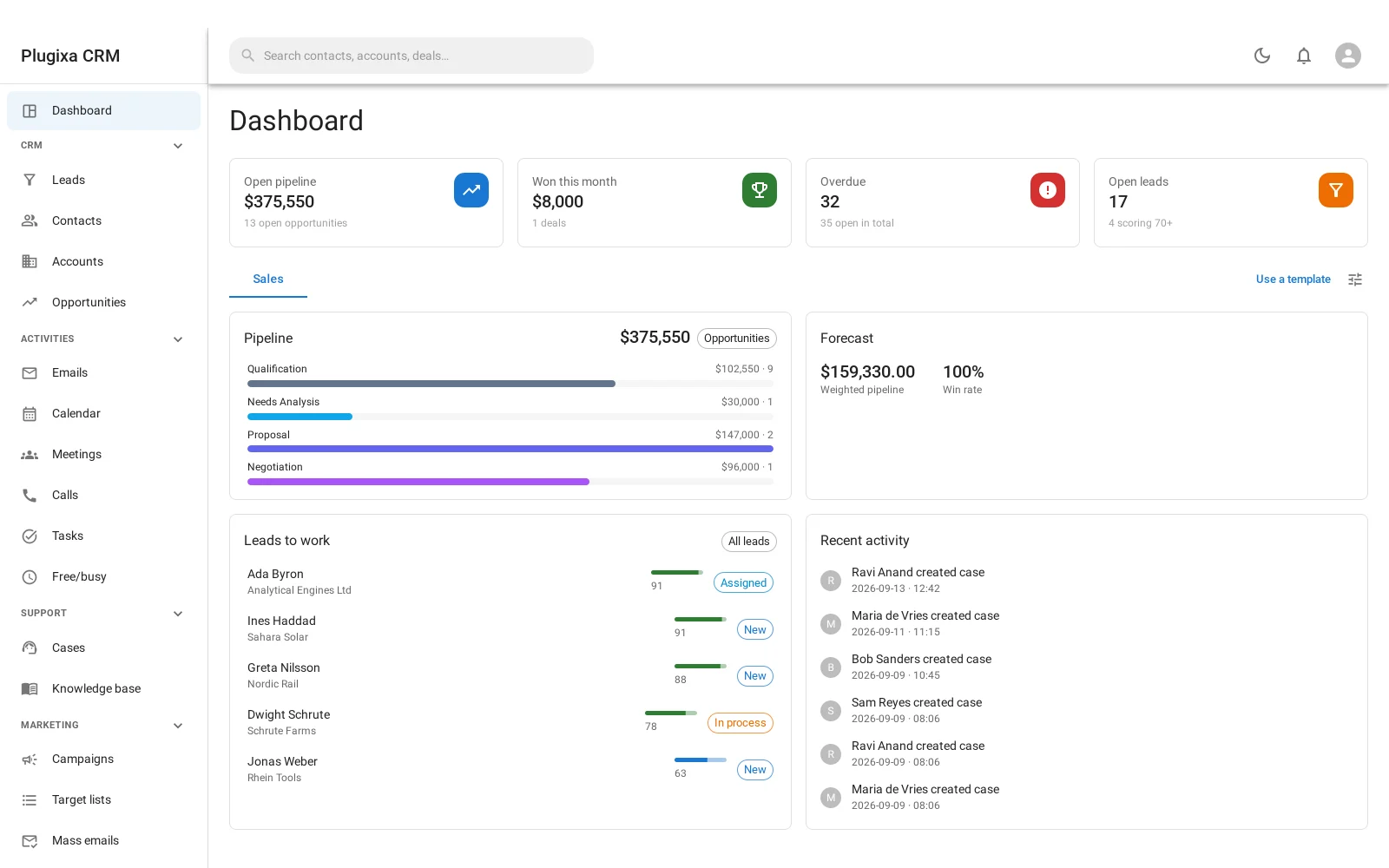
Dashboard with open pipeline, deals won this month, overdue activities and leads 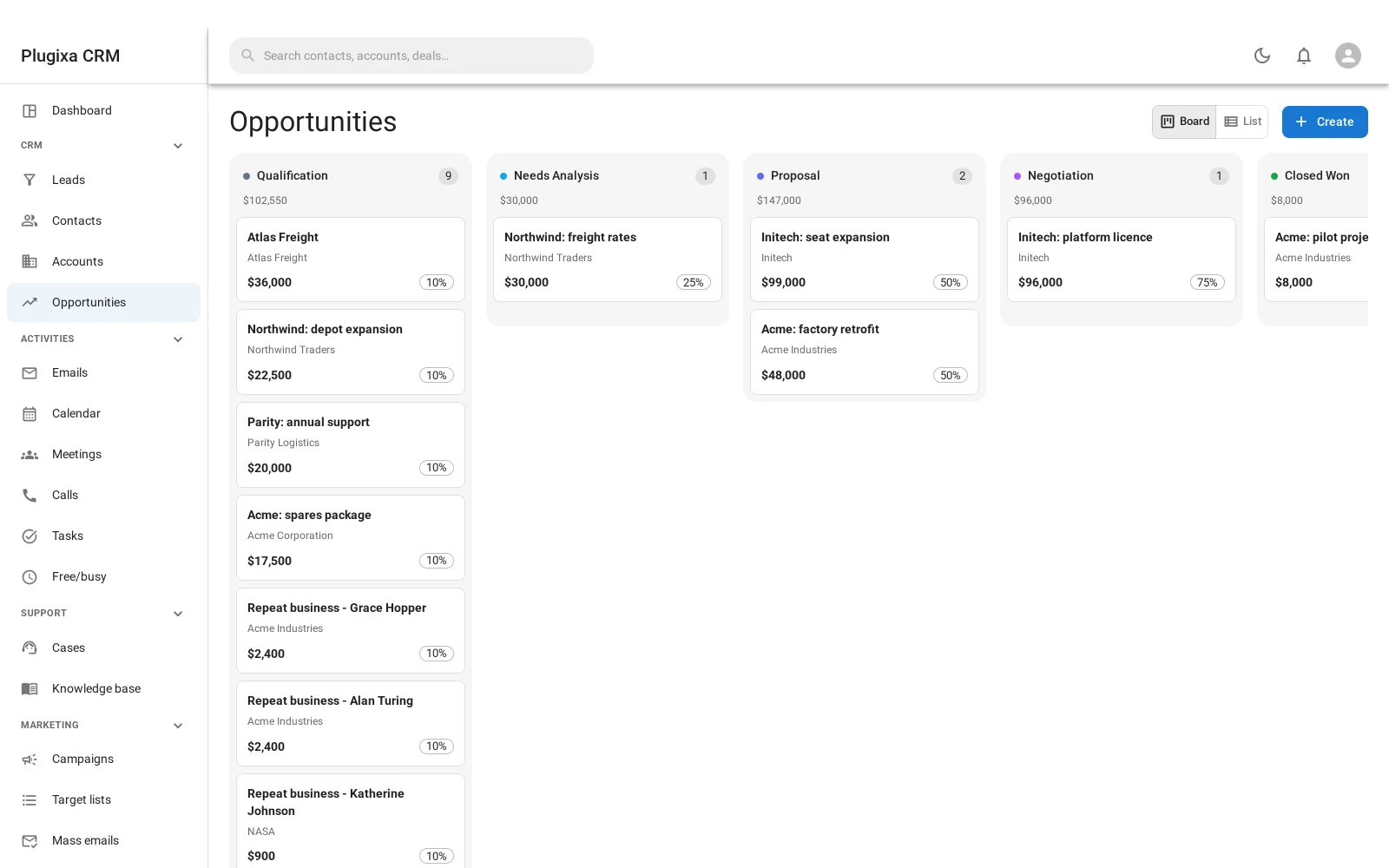
Opportunities on a drag-and-drop board, with a probability on each stage 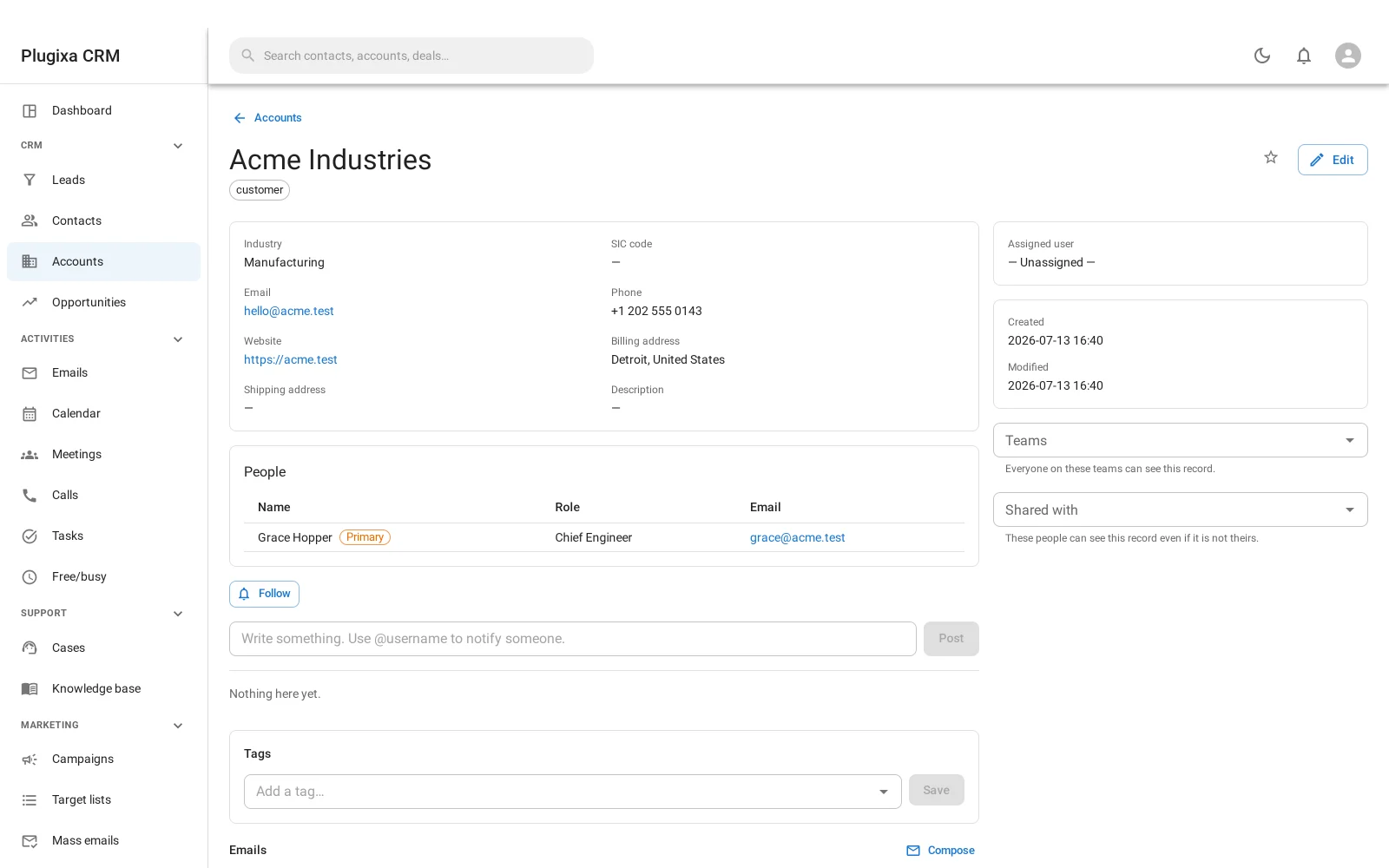
An account with its contacts and their roles, notes, files and activity stream 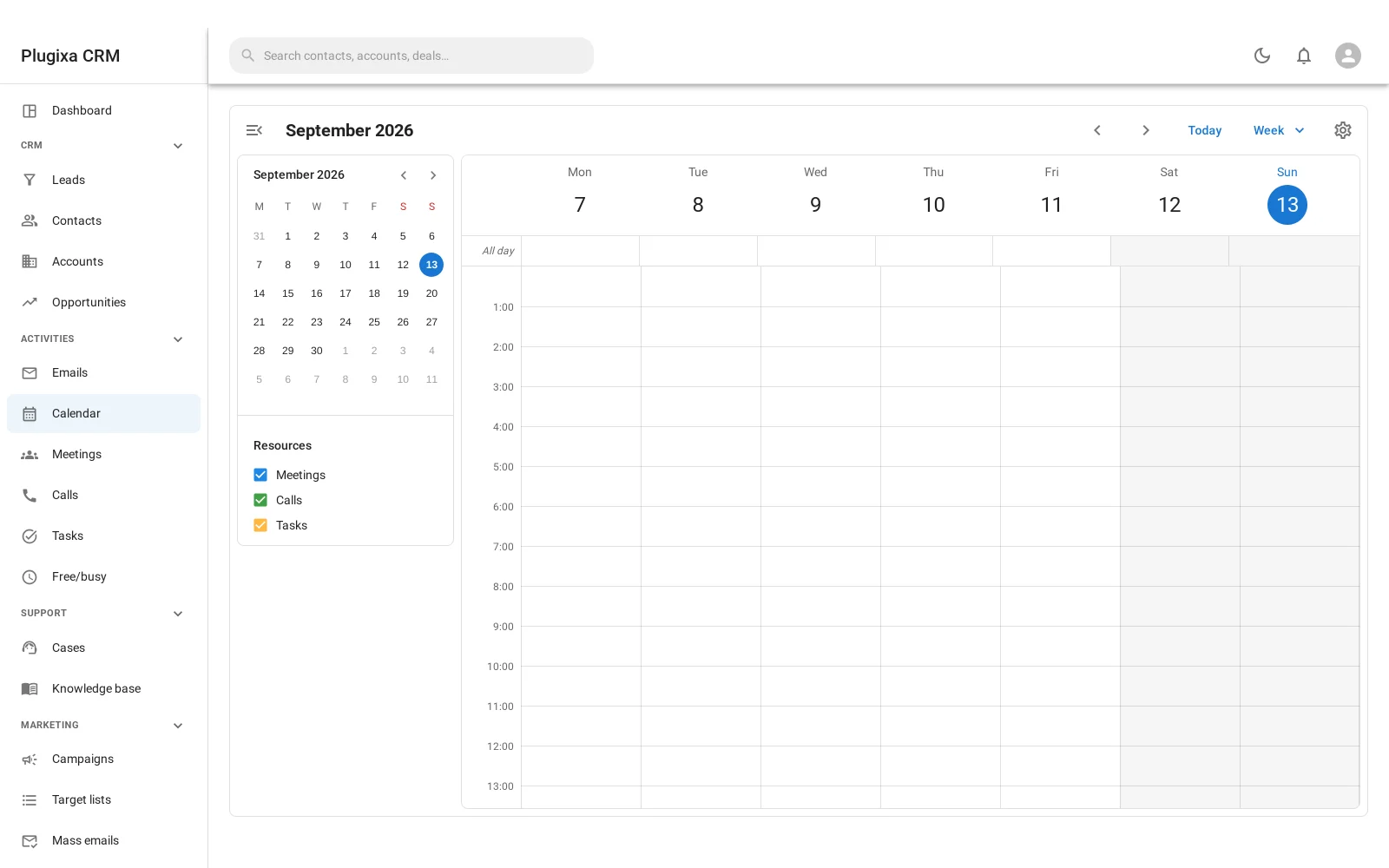
Calendar showing tasks, calls and meetings together 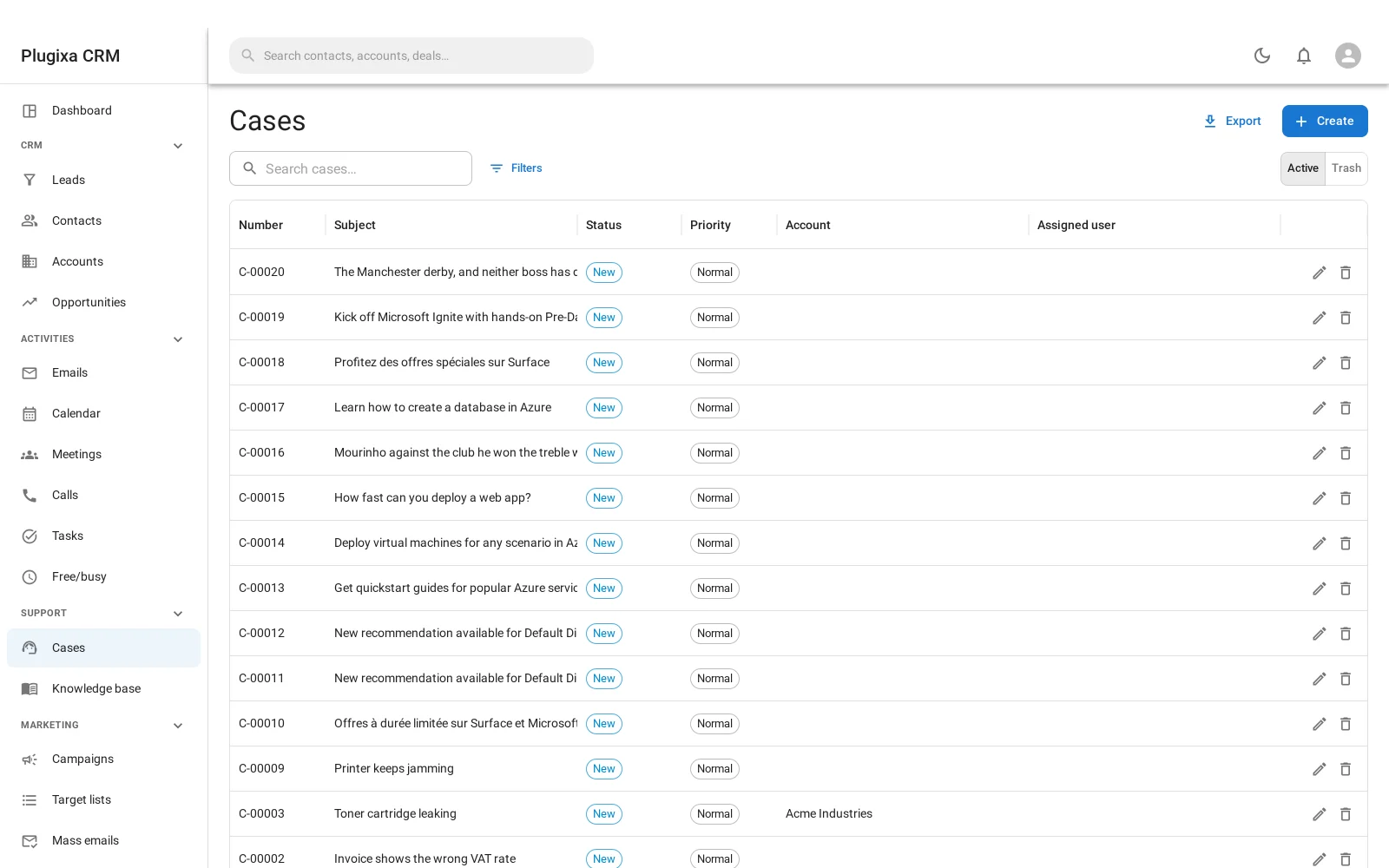
Support cases list with status, priority and type 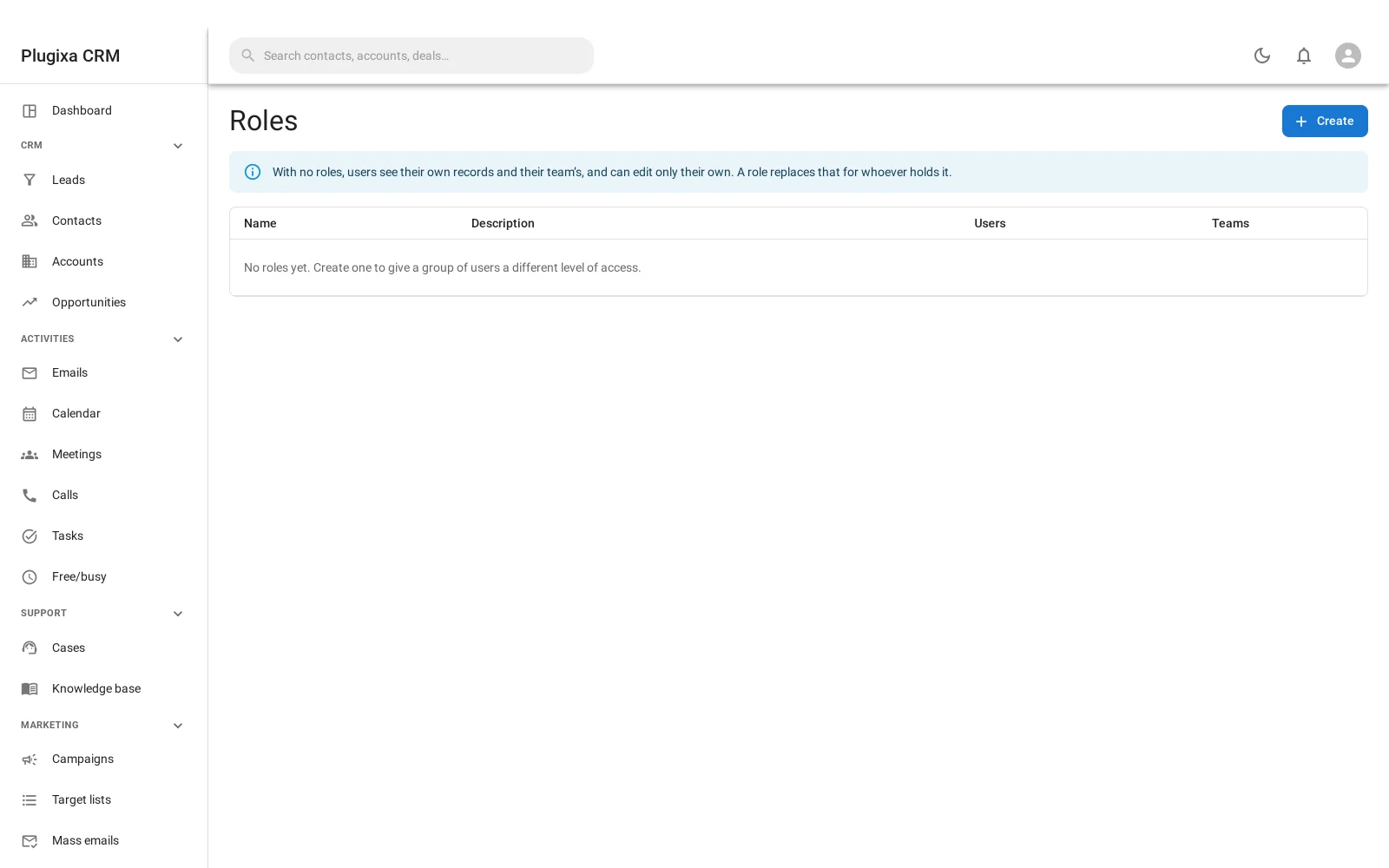
Role editor with all, team, own or none access per record type and action
Features, area by area
Contacts and companies
| Feature | Value | Note |
|---|---|---|
| ContactsStores people with their details, notes and a history of what happened with them. | YesFree | A contact can have several email addresses and phone numbers, one of each marked primary. |
| CompaniesStores companies (accounts) as their own records, with contacts linked to them. | YesFree | Accounts with a parent and child hierarchy, and a link to contacts that records each person's role. |
| Custom fieldsYou can add your own fields to contacts or other records. | YesPaid: Pro | Ten field types on contacts, accounts, leads and deals. |
| Duplicate mergeFinds the same person or company entered twice and merges the two records. | YesFree |
Sales pipeline
| Feature | Value | Note |
|---|---|---|
| DealsTracks sales opportunities with a value, a stage and an expected close date. | YesFree | |
| Kanban boardShows deals as cards in stage columns that you drag from one stage to the next. | YesFree | |
| Several pipelinesYou can run more than one pipeline, each with its own stages. | YesFree | |
| Sales forecastReports expected revenue, weighted by stage probability or by close date. | YesFree | A weighted pipeline forecast, win rate and expected close by month. |
| Lead conversionA lead is a separate record that converts into a contact, a company or a deal once qualified. | YesFree | A lead converts into an account, a contact and an opportunity in one step. |
Activities and email
| Feature | Value | Note |
|---|---|---|
| TasksTasks with a due date and an assignee, linked to a record. | YesFree | |
| CalendarA calendar view of tasks, meetings or appointments inside the CRM. | YesFree | Month, week and day views over tasks, calls and meetings, with working hours, holidays and free/busy. |
| Calls and meetingsLogs calls and meetings as their own activities on a record. | YesFree | |
| Email from a recordSends a one-to-one email from a contact's record and keeps it on the record. | YesFree | Sent from any record, with templates and merge fields. |
| Incoming emailReads a mailbox and files incoming mail against the matching records. | YesFree | Reads your own mailbox over IMAP. Incoming mail can create cases automatically. |
Marketing
| Feature | Value | Note |
|---|---|---|
| Email campaignsSends newsletters or bulk email to a list or segment of contacts. | YesFree | Campaigns, target lists and mass email sent in batches, with open and click tracking on your own domain. |
| Marketing automationRuns sequences or workflows triggered by events, such as a tag added or a form submitted. | No | Target lists are static, and there is no workflow or sequence builder. |
| Lead capture formsHas its own forms that create contacts or leads, without a separate form plugin. | YesFree | Web-to-lead forms as a block or a shortcode; submissions arrive as leads. |
Customer support
| Feature | Value | Note |
|---|---|---|
| Tickets or casesA support queue of customer requests with a status and an owner. | YesFree | Cases with statuses, priorities and types, assigned round-robin or to whoever is least busy. |
| Knowledge baseHelp articles you write in the CRM and can show to customers. | YesFree | Articles in a category tree. Articles you mark as public appear in a help centre on your site. |
| Client portalCustomers log in on your site to see their own records, such as tickets, invoices or documents. | YesFree | Customers see their own cases, shared documents, meetings, calls and help articles. Each panel is a separate switch. |
Team and permissions
| Feature | Value | Note |
|---|---|---|
| CRM rolesPermissions set per CRM role, beyond the standard WordPress roles. | YesFree | Roles per record type and per action, each with an all, team, own or none scope. |
| Record-level accessLimits which records or fields a user can see, for example only their own or their team's. | YesFree | Records are limited to a user's own, their team's or all, and single fields can be hidden or made read-only. |
| Change historyKeeps a log of who changed what on a record. | YesFree |
Reports and data
| Feature | Value | Note |
|---|---|---|
| ReportsBuilt-in reports or dashboards on contacts, deals or activity. | YesFree | A report builder with charts over deals, leads, meetings, calls and tasks, and multi-tab dashboards. |
| CSV import and exportImports contacts from a CSV file and exports them to one. | YesFree | CSV import with column mapping and an undo for the whole run; CSV and Excel export. |
| WebhooksSends a message to a URL you choose when records change. | YesFree | |
| REST APIA documented API for reading and writing CRM records from other software. | YesFree | About 230 documented REST routes, with the same permission rules as the admin screens. |
Commerce
| Feature | Value | Note |
|---|---|---|
| WooCommerceLinks WooCommerce customers and their orders to CRM contacts. | YesPaid: Pro | Links WooCommerce customers and their order history to contacts. |
| Quotes and invoicesCreates quotes or invoices from the CRM. | No | There are PDF templates for any record, but no quote or invoice records. |
Integrations
| Feature | Value | Note |
|---|---|---|
| Form plugin integrationsSends entries from form plugins such as Contact Form 7, WPForms or Gravity Forms into the CRM. | YesPaid: Pro | Contact Form 7, WPForms, Gravity Forms and Elementor forms. |
| Calendar syncSyncs CRM meetings or tasks with Google Calendar or Outlook. | YesPaid: Pro | Google Calendar and Microsoft 365 calendars. |
Platform
| Feature | Value | Note |
|---|---|---|
| Where your data livesWhether records are stored in your WordPress database or on the vendor's servers. | Your WordPress database, in the plugin's own tables | |
| CRM on a site pageStaff can use the CRM on a page of the site, outside wp-admin. | YesFree | A shortcode puts the whole CRM on a page of your site for staff, inside your theme. |